


Screenshots Outlook Express Password Recovery Software
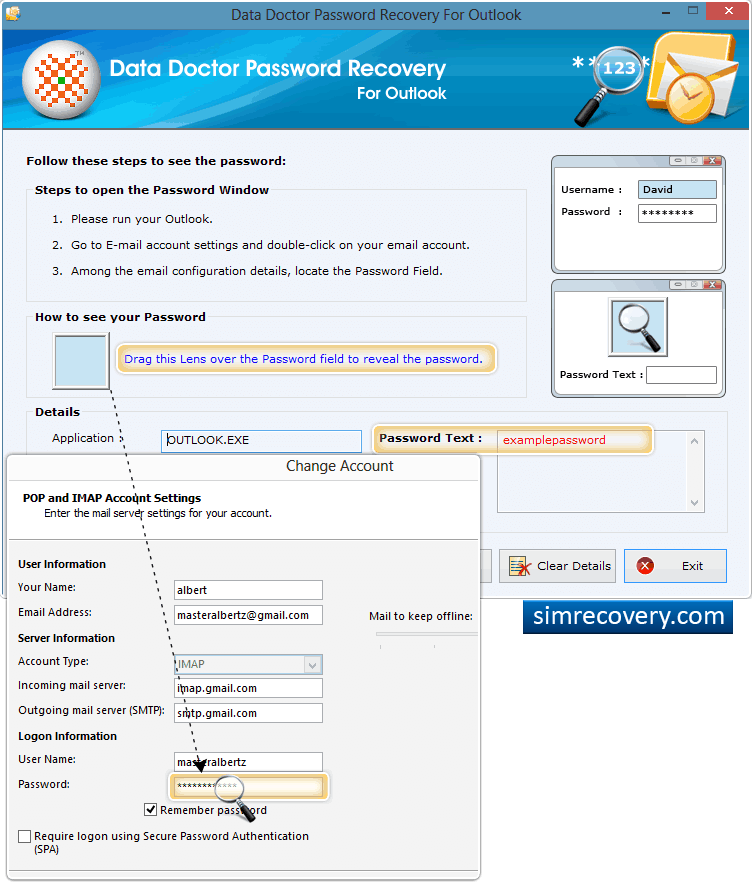
Recovery of lost password using Password Recovery Software For Outlook.
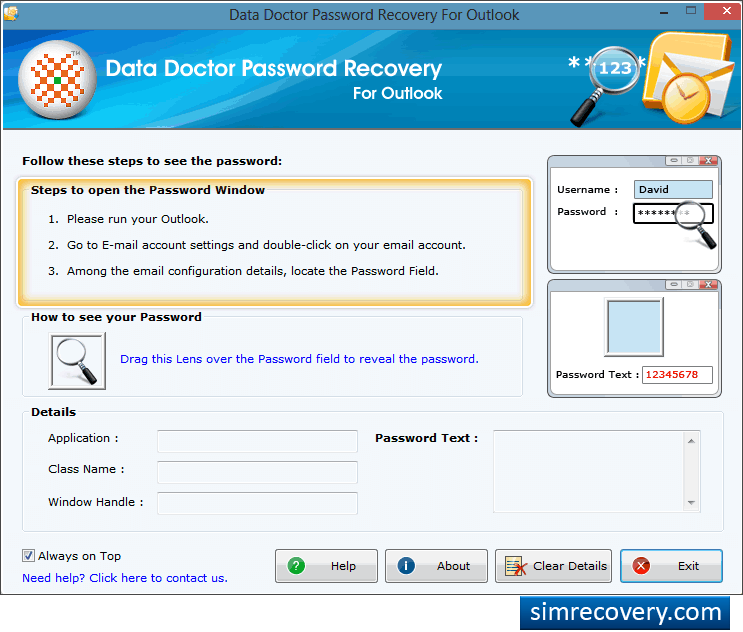
Install and run “Password Recovery Software For Outlook” on your computer.
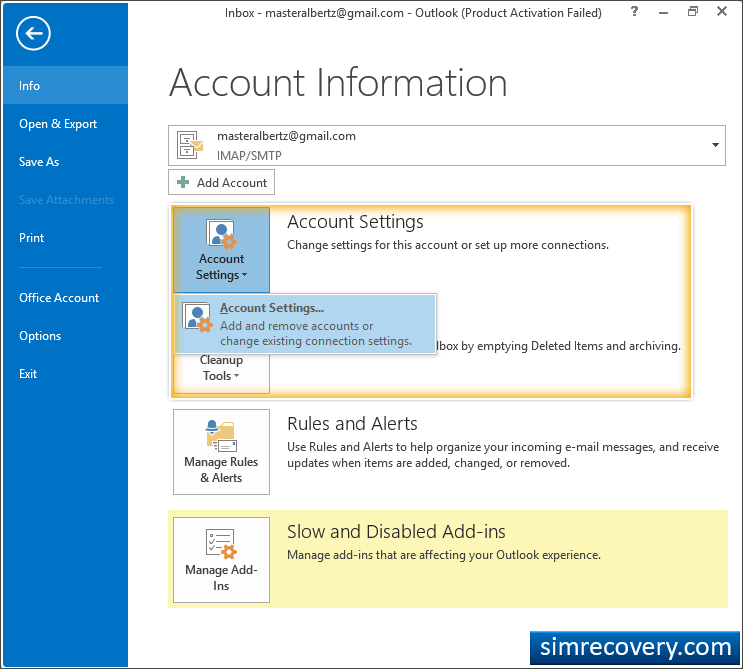
Open MS Outlook then Go to Email ‘Account Settings’ option.
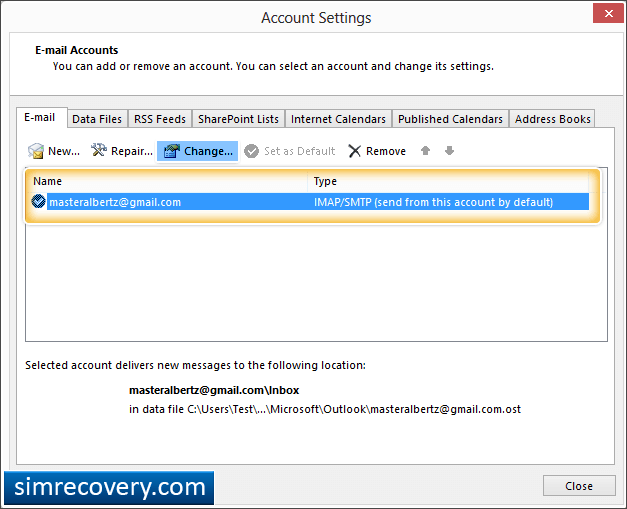
Double click on your Email account to view configuration detail, click on “Change” button.
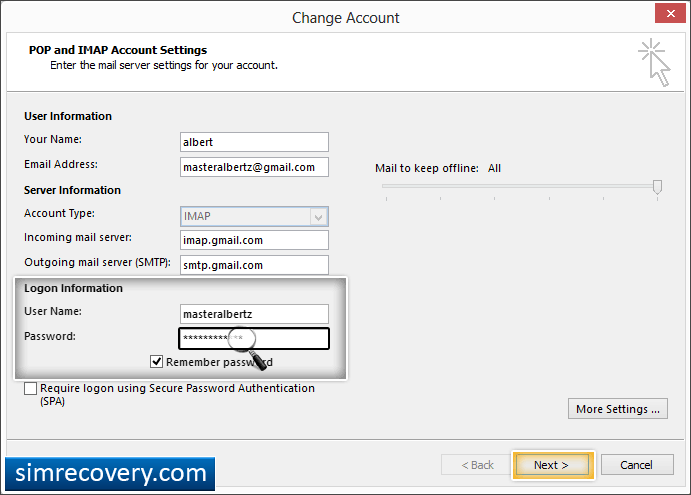
Locate “Password” field among configuration settings then Click on "Next" button.
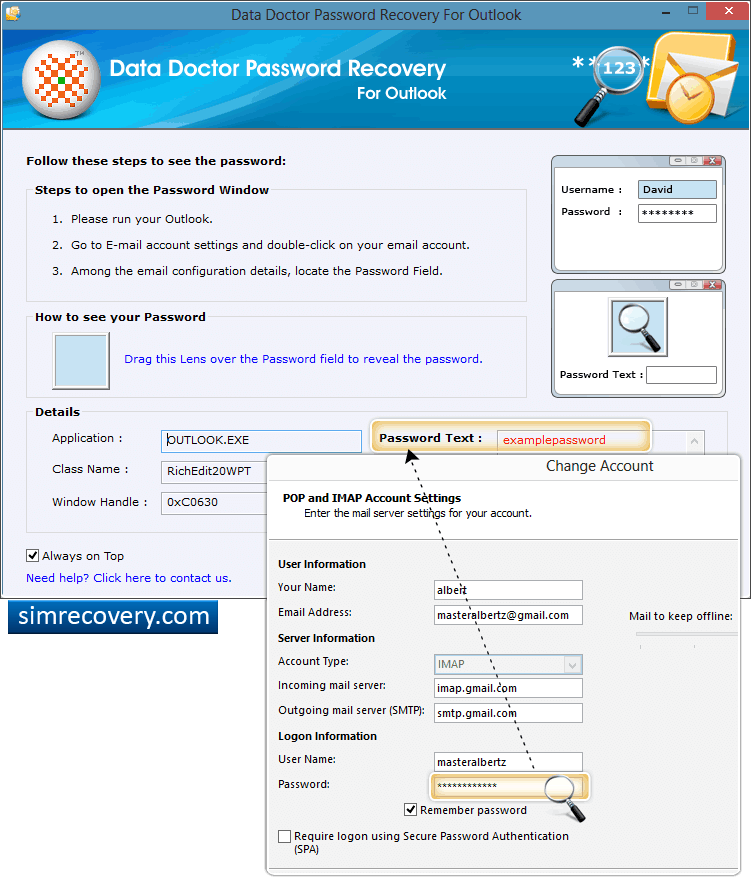
Drag lens over “Password” field to view lost password. Recovered password is shown in “Password Text” field at right side Of screen.